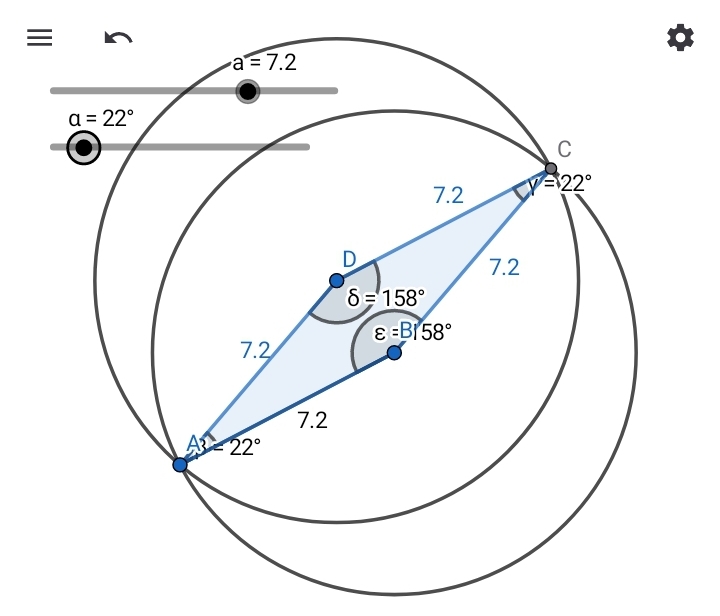
Suppose you want to draw a rhombus ABCD where you can dynamically adjust both its side lengths and its interior angles.
- Create a number slider for the side length:
a = Slider(1, 10, 0.1) - Create an angle slider for the interior angle:
α = Slider(0°, 180°, 1°) - Draw a fixed starting point A anywhere on the graphics view.
- Draw segment AB using the “Segment with Given Length” tool, entering
aas the length. - Rotate point B around center point A by the angle
αto create a new point, B′. Rename this new point to D. - Draw circle c centered at B with a radius of
a. - Draw circle d centered at D with a radius of
a. - Plot the intersection point C where circles c and d cross.
- Use the Polygon tool to connect vertices A, B, C, and D to complete the rhombus.